

bash, etc.) execute on the remote machine.
Threat model
Mux treats the remote host as potentially hostile. By default it does not forward your local keys or credentials. The only data synced to the remote machine is:- a git archive of the project
- Project Secrets (explicitly configured)
Why use SSH runtime
- Security: Prompt injection risk is contained to the credentials/files on the remote machine.
- SSH remotes pair well with Agentic Git Identity.
- Performance: Run many agents in parallel without burning laptop CPU/battery.
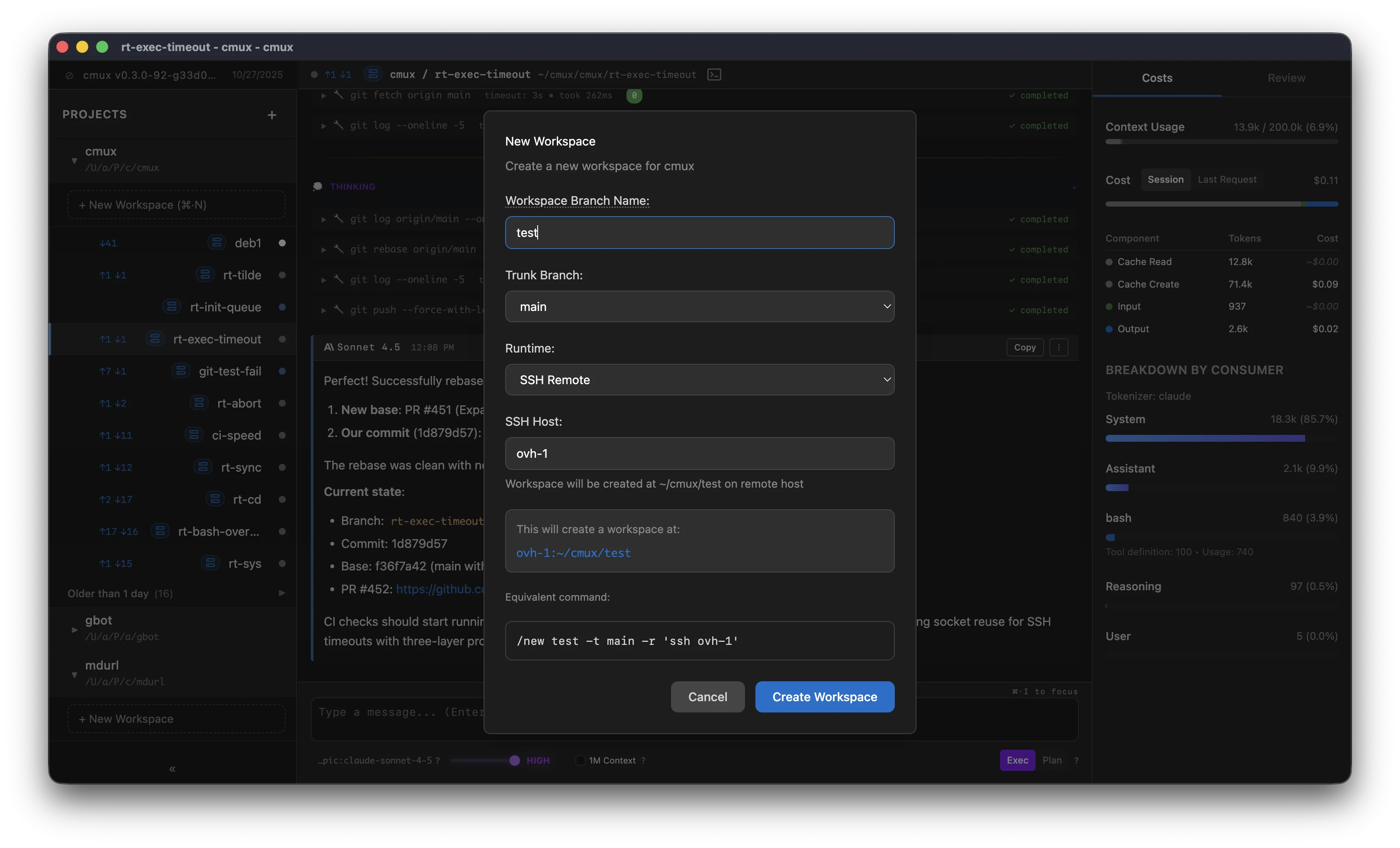
Host value
The host field accepts anything you can pass tossh <host>:
- a hostname (for example
my-server.com) - a username and hostname (for example
user@my-server.com) - an alias from your
~/.ssh/config(for examplemy-server)
ssh command, so advanced settings live in ~/.ssh/config.
Example entry:
Authentication
Mux delegates to
ssh. This is an abbreviated reference of common ways ssh authenticates.Local default keys
ssh checks these locations by default: